
 From invite to gift exchange
A gift exchange with wish lists
Invitations, wish lists, the name draw, and gift updates—all in one place.
Free for up to 9 participants.
For 10 or more — see pricing.

Create an exchange with wish lists, or draw names without an account. Choose the setup that works for your group.
Full exchanges are free for up to 9 participants.
Choose whether you need invitations and wish lists or simply want to draw names.
From invite to gift exchange
Invitations, wish lists, the name draw, and gift updates—all in one place.
Free for up to 9 participants.
For 10 or more — see pricing.
Add names, draw, and share each person’s result privately.
3–9 people.
Free, no account needed.
See every assignment in one place, then tell each person who they’re shopping for.
3–1,000 people.
Free, no account needed.
MySanta service-wide data for 2025. Figures are rounded. Learn more ↗
Four simple steps, whether your group is at home, at work, or spread across different cities.
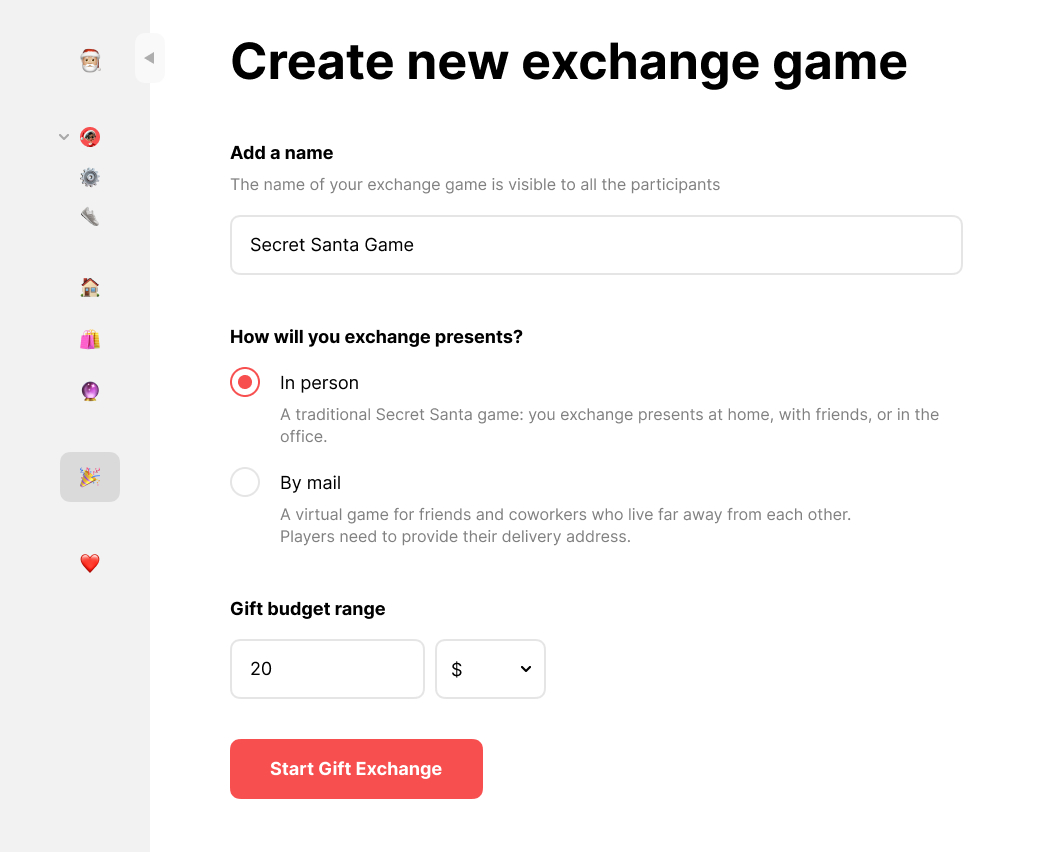
Choose a name, gift budget, and exchange date. You can organize the exchange and take part, too.
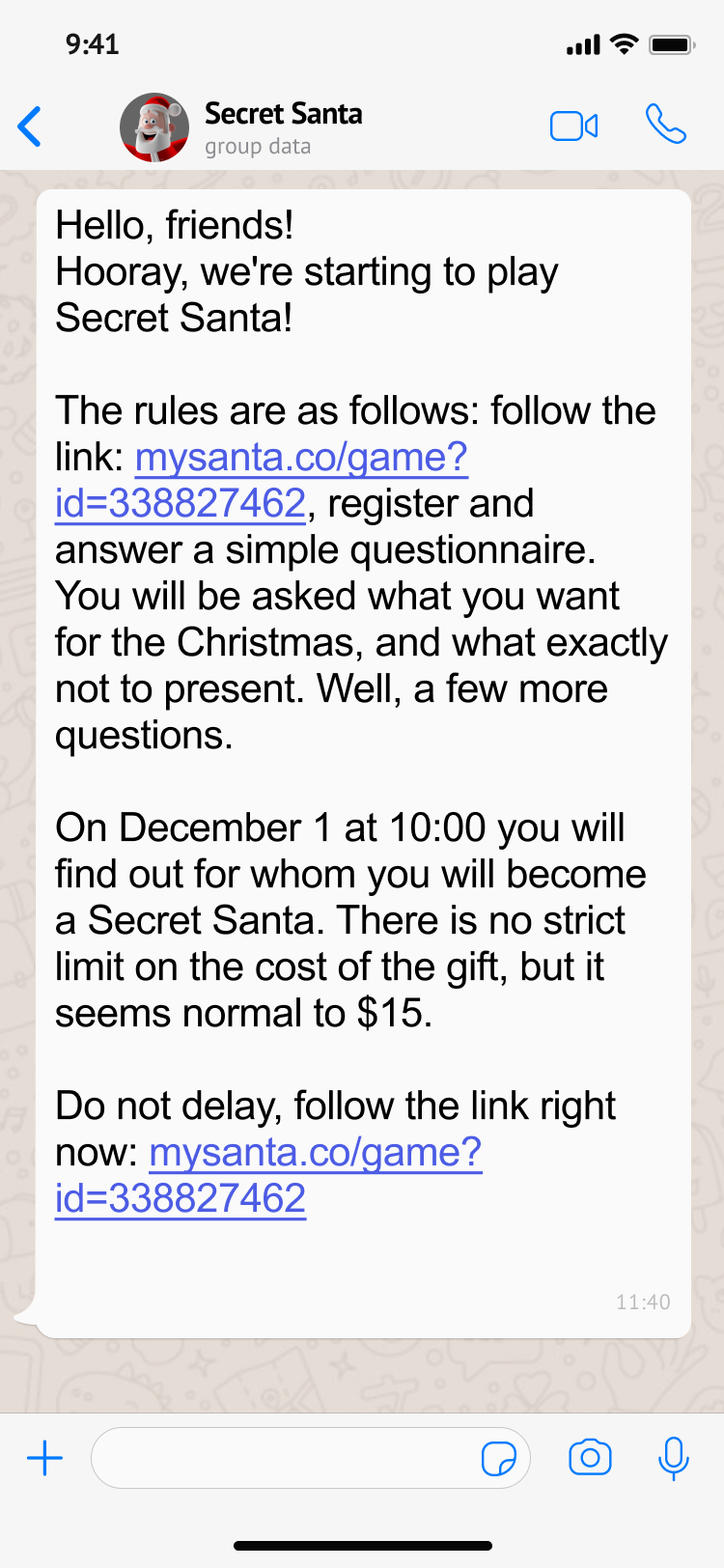
Share the invite link in your group chat. Everyone can join and add gift ideas to a wish list.
Once everyone has joined, draw names. Each person gets one recipient and can see their wish list. No one draws their own name.
Everyone picks one gift within the budget. Exchange gifts in person or send them to each other—just agree on the plan ahead of time.
Inside the exchange
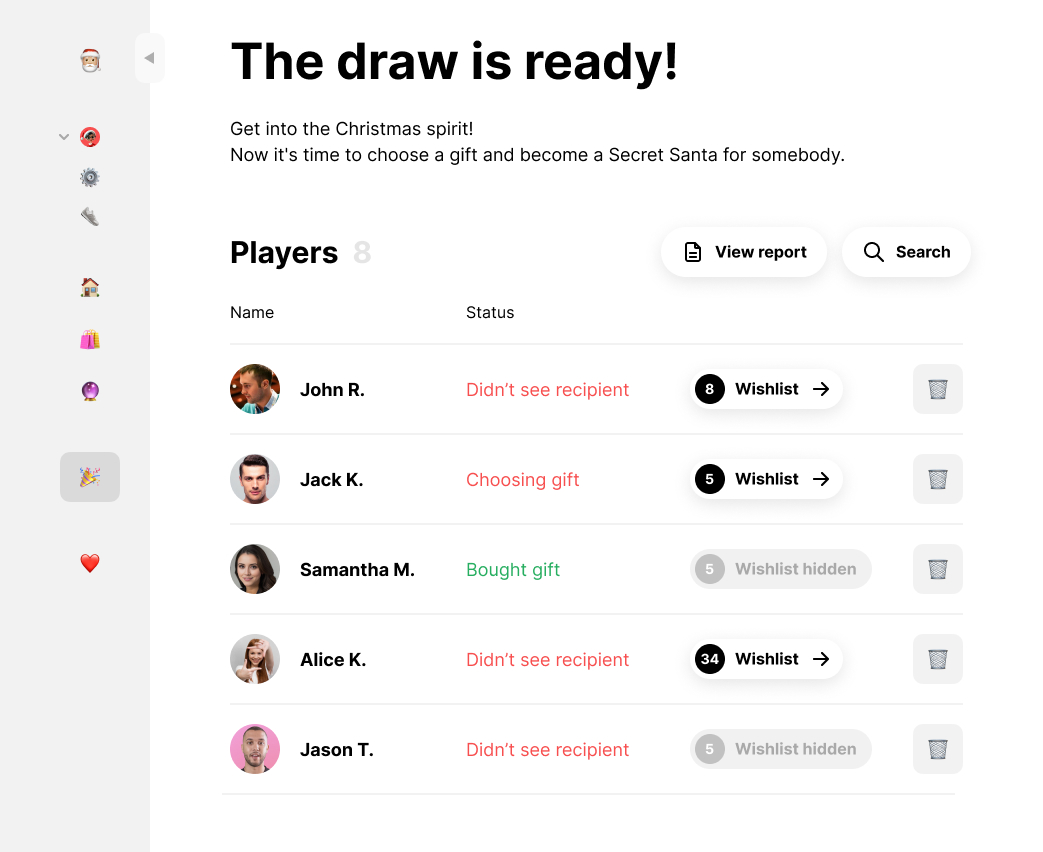
Each person is assigned one recipient and has one Secret Santa. No one draws their own name.
Each person gives one gift
and receives one from someone else.
Yes. A group can have three, five, or any other number of people, as long as there are at least three. You don’t need to form pairs: each person gives to one person and receives a gift from another.
Yes. Before the draw, add exclusions for people who shouldn’t draw each other—for example, partners. Available options depend on the exchange type. Check the exchange settings to see which exclusions are available.
If a valid draw isn’t possible with those exclusions, MySanta will let you know so you can adjust them.
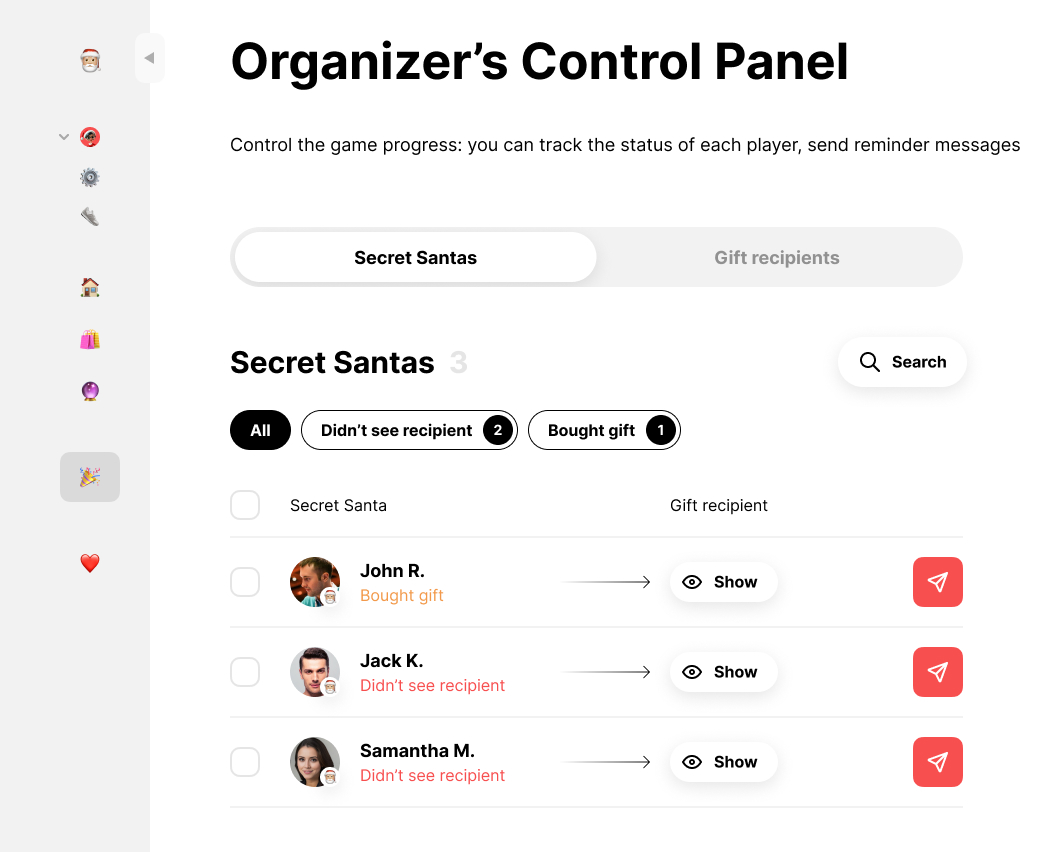
Participants see their own recipient and that person’s wish list. Depending on the exchange settings, organizers may also be able to view assignments.
In quick draw , the organizer may also open the results; with a name-list draw . The organizer sees the full list of assignments. Share each personal result link only with its recipient.
A new draw changes everyone’s recipient. Check with your group first—someone may already have chosen or bought a gift.
If the group changes after the draw, see the exchange optionsbefore making changes.
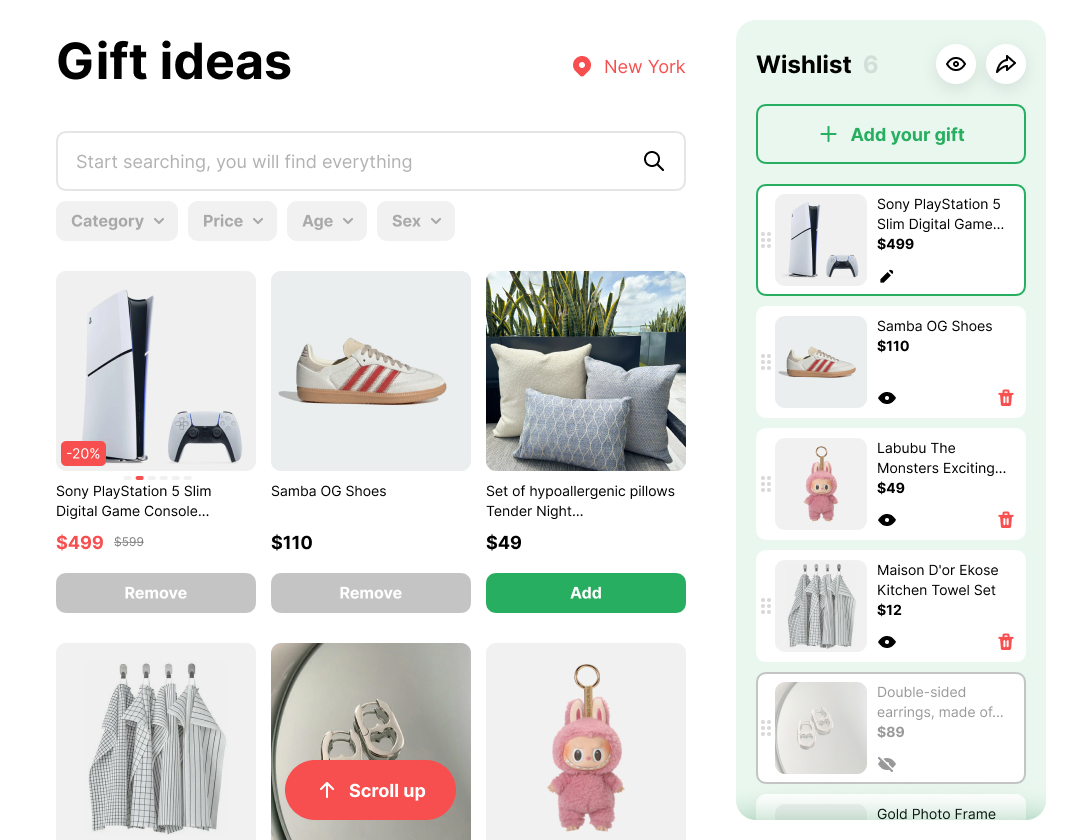
Everyone can add gift ideas before the draw. Afterward, each Secret Santa can see their recipient’s wish list—no more chasing links across group chats.
Organizing an exchange? Read more on the MySanta blog
Gift guides and Santa AI suggestions can help you find a gift for your recipient.
Choose a budget to browse gift ideas on our blog.
Tell Santa AI about your recipient’s interests and your budget for gift ideas. You can start with details from their wish list.
“My coworker likes coffee and board games. I have a modest budget. What could I get them?”
On your computer or phone—choose what works for your group.
Open your exchange on any device.
Works on iPhone, too.
MySanta for your iPhone.
Coming soonMySanta app for your phone.
Get it on Google Play ↗Participants share what their Secret Santa experience was like.
Find practical tips on drawing names, sharing wish lists, and planning the gift exchange. If you still need help, contact support.
Our FAQ covers the draw, odd-numbered groups, wish lists, and sharing results.
Or email us: [email protected]Bring your coworkers together, whether you’re in the same office or spread across different cities. Set up the exchange, invite your group, and draw names in one place.
Ways to play →See pricing →Ideas for a team exchangeAdd your budget and gift exchange date, then agree on how gifts will reach everyone.
Explore the exchange options →Bring your team together for an in-person exchange or include coworkers joining remotely.
Ideas for a team exchange ↗ WITH FRIENDSAdd a little mystery to your holiday plans: everyone picks a gift, then guesses who their Secret Santa was.
Ideas for playing with friends ↗ WITH FAMILYInvite the whole family, from siblings to grandparents, and make the gift exchange part of your celebration.
Ideas for a family exchange ↗ IN THE CLASSROOMDraw names and print cards to hand out.
Secret Santa for your class ↗Invitations, wish lists, party ideas, and more ways to play Secret Santa. Explore and find what works for your group.
Secret Santa is a gift exchange where everyone draws one person to shop for. MySanta helps organize the group, draw names, and share wish lists. Read the rules.
Create an exchange for your group and invite people yourself. If you’ve already been invited, open the link from the organizer to join their exchange.
Participants do. Agree on a budget and whether you’ll exchange gifts in person or ship them. Gift purchases and shipping are separate from the service.
Exchanges with up to 9 participants are free. For 10 or more, the price depends on group size and is charged per exchange. Organizer and participant support is included. See pricing.
Yes. Your group can join online from different places. Decide how you’ll send gifts and leave enough time for delivery. Ideas for remote groups.
No. People can join and add to their wish lists when it works for them. The organizer can draw names once everyone is in.
Yes. If your group wants a quick draw, try quick draw. Add names and share each person’s result link. If you want to see every assignment, use draw names from a list . Both are online name-draw options.
Friends, family, or coworkers—invite the people you’d love to celebrate with. Make your next get-together a little more surprising: who was your Secret Santa?
Start a Gift ExchangeIt starts with an invitation.
Blog articles are temporarily unavailable. Search across pages and tools is still working.
Open the blog →


